

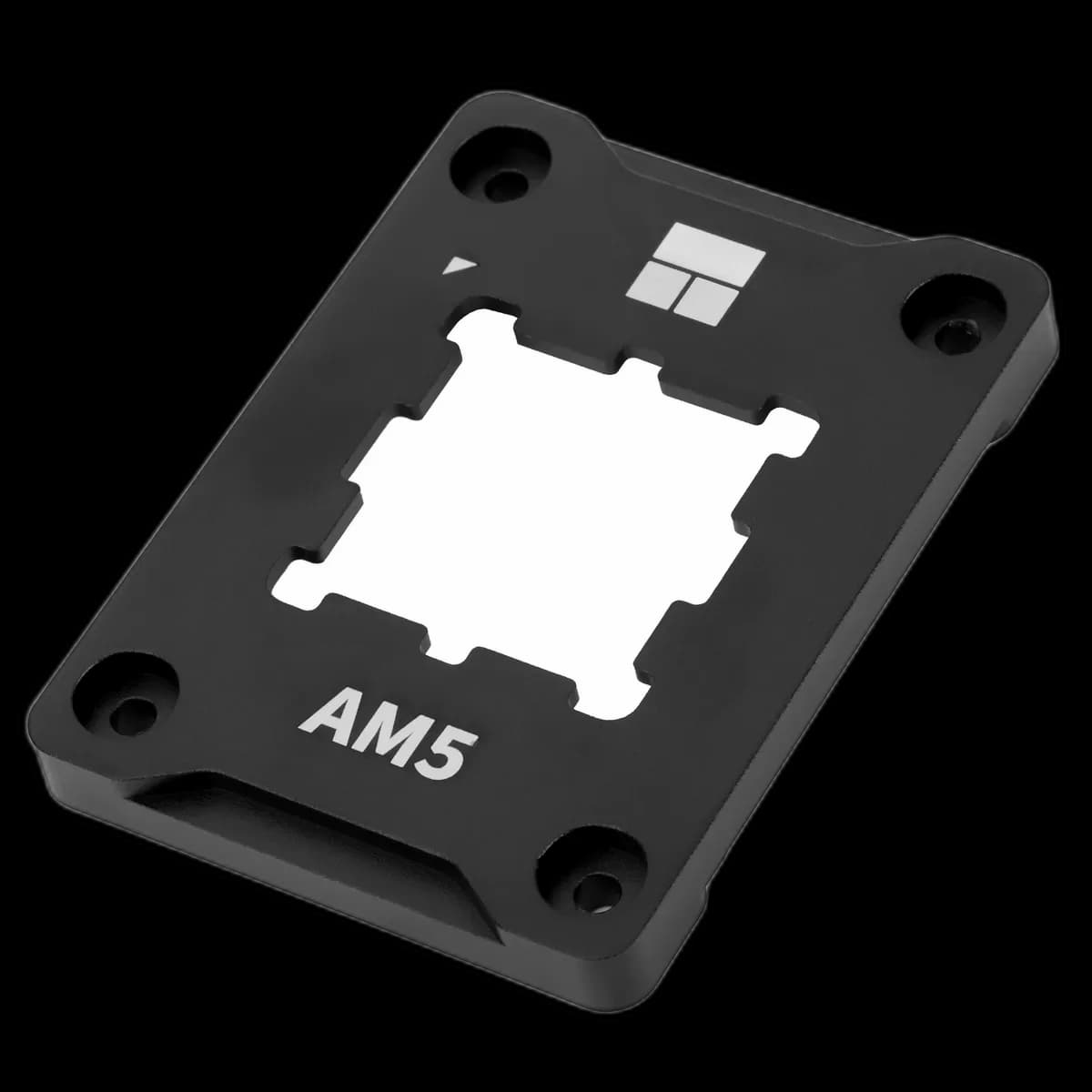
AM5 Secure Frame Black V2: a neat finish around the processor
Some upgrades sit almost entirely out of sight once the PC is finished. Thermalright’s AM5 Secure Frame Black V2 is one of them: a black aluminium frame that surrounds the processor at the socket. It is worth considering while the cooler is already off and the CPU area is easy to reach.

Made around the AM5 shape
The shaped centre follows the outline of an AM5 processor, leaving the top available for contact with the cooler. Thermalright lists the frame at 70 × 54 × 6mm. The black finish blends into a dark motherboard without adding lighting or another cable.
Check the socket before the colour
Choose this frame for an AMD AM5 installation and verify the fit with your exact processor and motherboard. AM4, LGA1700 and LGA1851 use different hardware; a similar-looking frame is not a substitute. The CPU cooler still needs its own compatible mounting kit.
Make installation part of the assembly plan
Work with the system switched off and disconnected. Follow the frame’s instructions for replacing the socket retention hardware, including the tightening sequence. Support the motherboard and keep tools away from the socket contacts.
This is a precision fitting task, so avoid improvising a torque setting or forcing the frame into place.
Finish with a careful cooler mount
- Confirm that the frame sits evenly around the processor.
- Apply thermal paste according to the cooler’s guidance.
- Refit the cooler and check operation under a familiar workload.
The frame changes the hardware around the CPU; a particular temperature reduction is not guaranteed. Its appeal is a tidy, considered AM5 assembly.